How it works
How TagGap reconciles Shopify orders with GA4 and Meta
Your Shopify orders are the source of truth for what you sold. TagGap checks what each analytics and ad platform recorded against them, and tells you, order by order where the data allows, what never arrived and why.
- Install and connect, read-only. Install TagGap from Shopify (read_orders only), then connect GA4 with analytics.readonly and Meta with ads_read. Pick the GA4 property and Meta ad account to compare.
- TagGap syncs orders and reported purchases. It reads the last 60 days of Shopify orders and, for the same days, GA4 purchases with their transaction ids and Meta daily purchase totals.
- Every order is matched and scored. GA4 is matched order by order; Meta day by day. Each destination gets a 0–100 score and a status: Healthy, Drifting or Broken.
- You fix what costs the most. Unmatched orders are grouped by reason with their value. Each links to a fix guide, and TagGap confirms the fix on the next run.
GA4: matched order by order
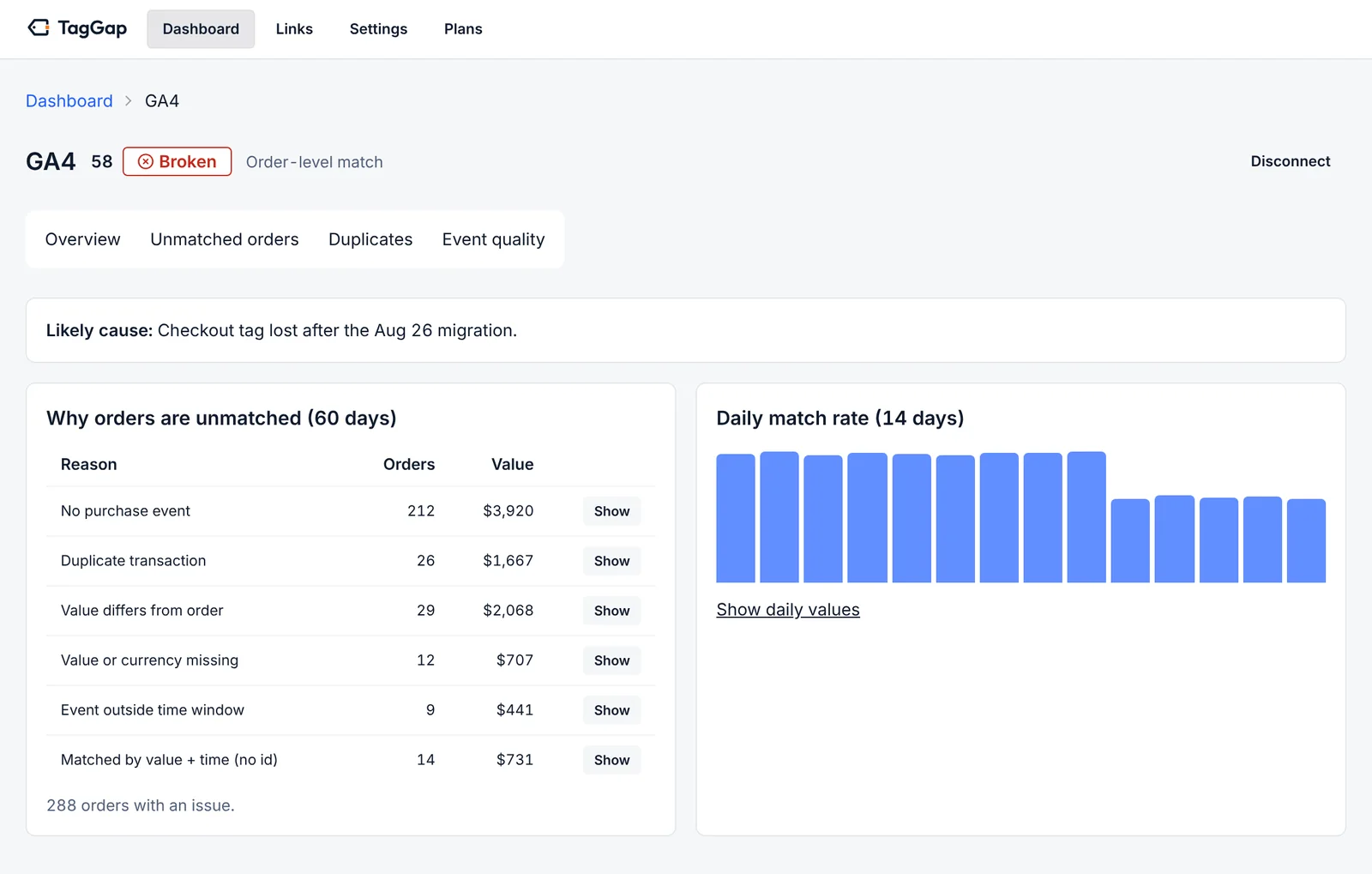
GA4's reporting API returns purchases with their transaction_id. For every Shopify order, TagGap looks for a purchase whose
transaction_id equals the order id, the order number (1001) or the order name (#1001). If none matches, it
looks for exactly one purchase with the same value in the same hour and marks that match as fuzzy, because it is weaker evidence.
Each order ends up in one of these states:
- Matched: one purchase, right value, on time.
- No purchase event: nothing in GA4 for this order.
- Duplicate: the same transaction_id was sent more than once, inflating revenue.
- Value mismatch or value missing: the purchase arrived with a different total, or none.
- Late: the event arrived outside the expected time window.
Meta: compared day by day
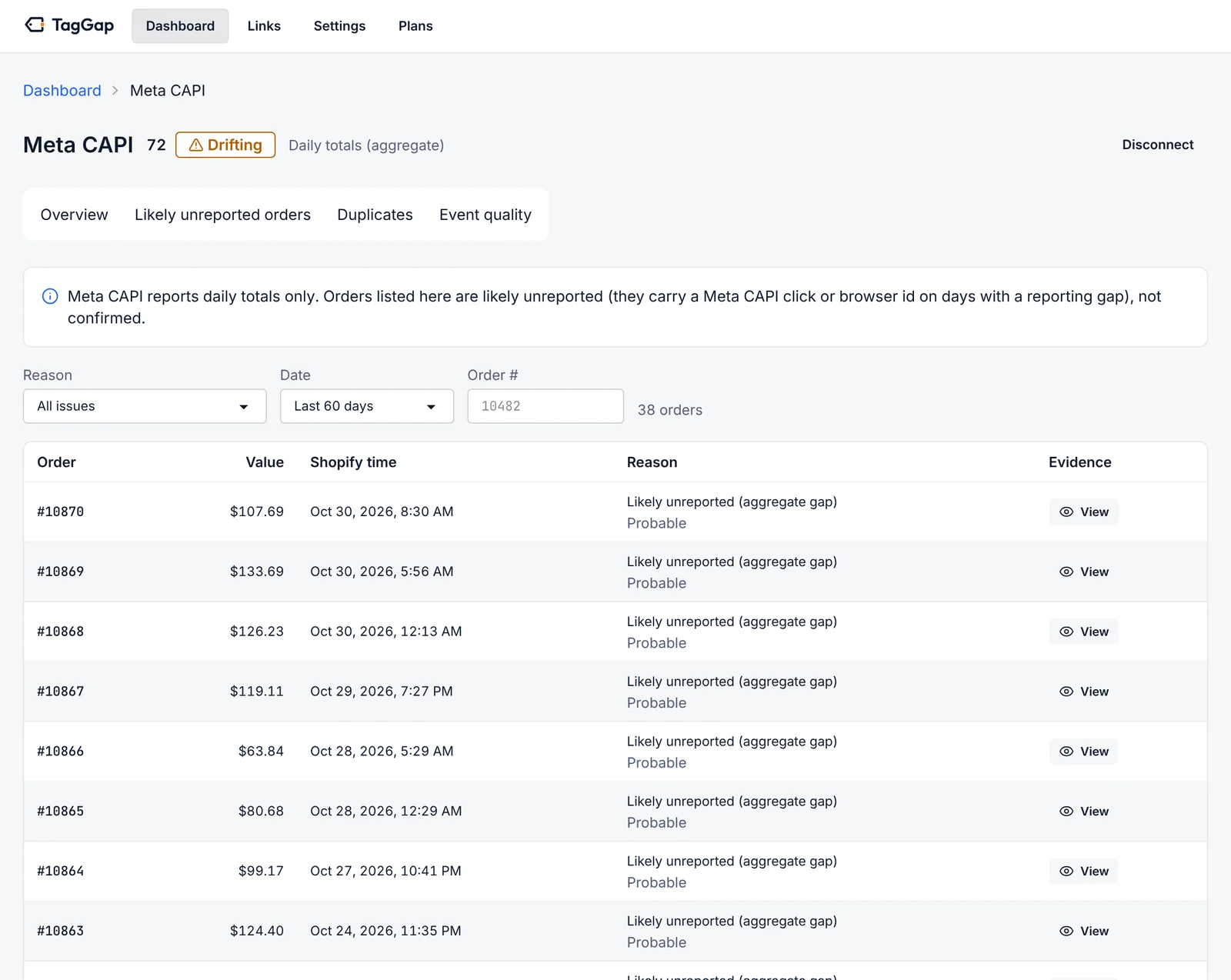
Meta's Marketing API gives apps daily purchase counts and value, not a list of the orders it received. So TagGap compares each day's
Meta purchases with that day's Shopify orders. On days with a shortfall, it lists the orders that carried a Meta click id
(fbc) or browser id (fbp) as likely unreported, and labels them probable rather than confirmed. It never
claims more certainty than the data gives it.
What is left out, on purpose
Some orders are never sent to GA4 or Meta by design: test orders, cancelled orders, draft and B2B orders, and subscription renewals. TagGap excludes them so they do not show up as broken tracking. Every order keeps its sales channel and source, so you can see at a glance whether a gap comes from a channel you never tracked.
Scores, alerts and fixes
Each destination gets a 0–100 score from its match rate, duplicates and value accuracy, with a status of Healthy, Drifting or Broken. When a score drops, TagGap alerts you by email (and Slack on Growth and Pro) with the likely cause, for example a checkout tag lost in a migration, and a link to the fix guide for that exact problem. After you fix it, the next run confirms it.
What TagGap never does
- Change your theme, pixels, Customer events, GTM, campaigns or ad accounts.
- Request or store customer names, emails, phone numbers, addresses or IP addresses.
- Send events to GA4 or Meta on your behalf. It audits your tracking; it does not replace it.
Details: privacy policy · FAQ